App Store Reviews, Part 2 (Electric Boogaloo*)

I thought it was time to do another roundup of the App Store reviews that have appeared since the last one four weeks ago, as people don’t often get the chance to see the reviews that are published  on other App Stores around the world.

They are mainly very favourable, but I also included the two that weren’t so that I may respond, as the App Store doesn’t provide a way for developers to do this.

They are split by country- US, then UK, then Rest of World.

US Store

HCathey *****
Boss
Works as advertised, very intuitive, low price – what more could u ask for?

mcginnmk *****
Great app and support!
This app is a great patch for the void Apple and Outlook left in it’s software. Not sure why generating groups to synch with your iPhone was such a big deal, Peter obviously had no problem figuring it out. Also great support. I had trouble downloading the in-app upgrade, contacted Peter and had an answer within hours of my inquiry. If you have numerous contact groups this app is a must if you want to easily correspond with them remotely.

JPhil99 ****
So far, so good…
The free version is too limited (only 5 contacts per group, only 3 groups allowed). They don’t tell you these limits in the description. But you can get a good taste of the product. The pro version works well, AND IT WORKS WITH MS EXCHANGE emails, which no other group email app can figure out.

I use this for work distribution lists (I have 24 reps) and I used to hate sending group emails from my iPad. Now, its a snap. I also have a family group set up for sending pictures and messages about our kids.

Very simple and worth the $4, if you need more than the FREE version.

PJ- We do mention the limits of the free version in all descriptions on the App Store, but it is a lot of text so I can understand if someone didn’t read it all, or missed some of it.

NoName- *****
The proper Mail/Contacts
With this app, Peter has made Mail/Contacts into a proper email program. Thanks! And it includes embedded tutorials & a link to a super support page. I had a truly anomalous problem and Peter responded with a solution while I had dinner! That’s support!

Don’t worry that the first recipient’s literal name is replaced by the Group Name — everyone will get your group email.

Petsyrah ****
Great timesaver
Thank for developing this great app. I installed the free app and created a group, which is now in my contacts, in about 1 minute. Found it to be quite intuitive, didn’t need instructions. Will try this version out for a bit, then will likely upgrade to Pro.

Cdog127 *****
Wonderful!
Finally, the ability to set up groups in the native contact app. I now have the ability to send group emails from any app on my phone. Had one issue setting up my groups, but a simple email to support and it was resolved. Also, when I emailed support, I had a reply with step by step directions IN UNDER AN HOUR! anyone who is looking for group emails, this is the app for you! Could not be any easier!

morningbell *****
Saviour
When I realized I did not have “Group” capability on a trip that meant, communication with several people at once, I freaked! I immediately started the search and found MailShot! Excellent and easy for the less inclined. I was able to send to many people at once, while keeping their privacy intact.

Schreibs1- *
oops
I was really excited about finally being able to create my email groups; shame on me for not reading the app’s description more closely. After I created my 3 smallest groups, I realized that I could not create my nine additional larger groups without purchasing an upgrade. This app does work seamlessly when following the web support page, and the groups DO show up in my contact list. So, one star to both MailShot for very limited function, and one star for myself for not reading all of the details. And zero stars to Apple for not building in this function.

PJ- This seems really unfair. He admits that the app works exactly as its supposed to, then awards it one star because he begrudges spending the cost of a cup of coffee on software that he can benefit from again and again?  Just a bit sad really.

Gregg Murphy ***
Crashes when adding some contacts
I like this app. Because it is very simple. Let’s you put groups into your address book. It does crash when adding some addresses. I had to create a new address for the person and then add it? Could be better with some work.

PJ- the cause and solution to this problem is on our support page if anyone encounters it themselves.

PNort *****
TIME SAVER!
Should have been part of the iPhone email feature set from the outset. This is a GREAT utility!

UK Store

David Hillyer *****
Wonderful!
I love my iPhone, and find I’m doing more and more emailing from it. To not have a group email-send was a problem. So finding MailShot was great… But I had a few problems upgrading for 5+ names. I contacted Peter, who then appeared to work though the night to remedy my difficulty – I felt as though I was at the cutting edge of app development.

We got it sorted, and I’m very happy. And the price of the upgrade is nothing compared to how my emailing has been helped. Brilliant!

Hopbackguy *****
Latest release now works well for me
The latest release has solved the problem which I experienced previously, which many others were also having, and the app now works great for me. I’ve upgraded to the paid version as I have a couple of largish distribution lists… My only criticism is that the full version is a tad expensive. I really don’t get the recent one star review.. it’s clear what the app does, and therefore whether it might be useful, and it works well. Its patently NOT ‘rubbish rubbish rubbish’. So why the diatribe?

Big Tithe *****
Better than ever!
The first release was brilliant but the updated version resolves the issue that you could see sometimes with the format of e-mail addresses that occurred in a few situations. Sorted!

I can’t understand the review comment suggesting it takes a long time to set-up. The first time you use it, it takes as long to create a group as it would to list all recipients in a standard e-mail but then that’s it, you’re done! As for the price, if you’re Billy-no-mates, why would you be using this app. anyway?

Buy it and spend the time you’ll save enriching your life or just patting your dog (no euphemism intended)!

Alacasam *
What!!!!!!!
This app is really worthless I mean I probably spent more time working creating the groups than I actually saved time.I bought the add on thinking it would help but I don’t even email 50 people at once so I suggest you really don’t get this app and especially don’t get the add on.anyway what it costs £2.29 or something absolutely rubbish rubbish rubbish rubbish

PJ> Again I am also including the rare bad reviews here too so that I get the chance to respond.

I really can’t understand this guy- he claims he liked it enough to upgrade, then he derides the app as worthless “because he doesn’t have 50 friends?” As another reviewer observed, you only need to add people to a group once, how is this not faster than doing it every time?

It makes no sense at all, and I can only wonder what his actual motivation for writing this review is.

Rest of World Stores

Canada- Curtis Bayne *****
Finally able to use groups in iPad email!
I also love how it puts the list into the built in Contacts App! So far works flawless. Probably should give it 4 1/2 to 5 stars, but I just got it, just made three groups and am very pumped that I had to share. Will be so sweet to type one letter, then choose the group contact, when sending an email to my 10 collegues instead of entering the first letter of 10 different names.

Argentina- Relenti****
Great and simple
The app is basicaly an script. But it’s a great idea, and works fantastically. You create a group with your contacts an the group is a new contact with multiple mails. It’s simple. What’s the great idea: you use the usual mail, and you can forward a message to a group, and you can’t do it in group apps like abcontacts, groups or powercontact. And it’s free!!!

Spain- Curro Dorado****
MailShot Pro
Justo lo que necesitaba. La app hace exactamente lo que dice su creador: crear listas de distribución de correo. Sería perfecta si se pudiese abrir desde ‘mail’ y no como app externa.

(the above translated from Spanish, with help from AppFigures.com)

Just what I needed. The app does exactly what it’s creator says- create mailing lists! It would be perfect if it could be opened from ‘mail’ and not as an external app.

I would really like to thank those people who have taken the time to share their experiences so others may benefit. And also to thank those who have got in touch so we could help resolve their problems and build up a support doc for everyone to use. Its been a pleasure to help.

*And if you are wondering “why Electric Boogaloo?” its the tagline from the dodgy dance movie “Breakin’ 2”. As this is a sequel to a previous post- it was that or “Die Harder” and I thought even fewer people might get that one.


Some Unusual Ways To Use MailShot

The unique way MailShot creates groups in your iPhone address book that act like single contacts brings a number of benefits. Don’t feel you can only use MailShot for large groups, there are a number of other uses out there you may not have considered…

  • Like me, you may have more than one way of communicating with the world in addition to email. I have this blog to feed, and both personal and commercial accounts for Twitter and Facebook. Most of these services offer an email address to allow you to post by email, so why not collect them in a MailShot group or two? Then you can post to all your work-related accounts, all your personal accounts, or both at once just by choosing the appropriate contact.
  • Some friends or colleagues can be difficult to get hold of, using different email addresses at work and at home.You can create groups for them that email all of their addresses at once to ensure that when its important, they get the message.
  • If someone doesn’t usually carry an email-capable phone you can still include them in a MailGroup.Most US carriers provide an equivalent email address that gets converted into an SMS text message for their users, and you can add those addresses into your groups too (first add them as an email address for your contact, then they are available to add in MailShot). You can find a list of email addresses for a number of carriers on Wikipedia here .
  • This one was inspired by a question on the Apple user support forums where a mother wanted to ensure that her daughter copied her in on all emails to her teacher. Use MailShot to create a contact containing both mother and teacher’s addresses, and delete the original teacher’s contact from the address book. Now whenever the teacher is selected as the addressee for an email, mum gets one too. (though obviously this won’t help if the daughter is replying to an email from the teacher)

These are just a few suggestions for you, we’d love to hear of any interesting or unique ideas for how you use MailShot- please drop us a line on suggestions@solubleapps.com

MailShot 1.13 Live on the App Store

A new update has just been released for MailShot on the App Store which should bring greater mail server compatibility for many people. To find out more about MailShot please visit its page here.

Meanwhile here is our handy guide for people updating from the first version:

It is a good idea to first delete your existing MailShot groups from your address book using the Contacts app. (Delete from Contacts and not MailShot, then you won’t need to rebuild them all in MailShot.)

You may find the quickest way to find them all is to search for “MailShot” in the contact search bar.

We delete the old contacts because we need to rewrite each contact group from MailShot to benefit from the update. to do this simply select each group in turn in MailShot and press UPDATE to rewrite it in your address book.

You will notice some changes in appearance of the MailShot groups – the first person in the group will now show the group name (or a version of their email address if you send from Contacts) in the email header. This change was necessary to increase compatibility for different mail servers as your message travels around the internet.

Generally we would now suggest that you should use Mail, or the many other apps that use its code, in preference to Contacts. MailShot has now been optimised for Mail because there are so many unique tricks you can do with it that you can’t do from Contacts, such as forwarding a mail direct to a group or using BCC to protect privacy.

You may find Contacts still works for you, in which case fine. If this changeover causes you a problem compared to before, please drop us a line and we’ll consider adding a switch for “contacts-only” behavior in a future version.

Another change is that the title screen now has buttons to reach this website for user support, and to make it easy tell people about the app by email or rating us on the App Store. If you enjoy MailShot please spread the word, but if you have a problem, please tell us and we’ll do our best to help. We have put lots of helpful information on our Support Page for you.

One last word is just to thank our “Test Pilots”, who helped test the app before release. Cheers guys (and girls.)

Suggestion Box update now on the App Store.

I know it’s been all “MailShot, MailShot, MailShot” around here for the past few weeks, but an updated version of our previous product, “Suggestion Box” has just gone live on the App Store.

It is an idea generator, intended for use as a rehearsal aid for improvisers and drama students. Uniquely it allows you to combine suggestions onscreen, and to customise the suggestion lists for your needs.

The update adds 20% more suggestion-y goodness, particularly in the “Objects” and “Emotions” categories.

MailShot version 1.1 is in test.

The next version of MailShot is coming very soon.

It features greatly increased compatibility with a range of mail servers, which will help a number of people who contacted us for support on this in the past week (thanks to all of you for your involvement.)

We cover the issue in more detail on our support pages, but if you should experience issues sending to your MailShot groups (such as server error messages, or certain people unable to “reply all”) on your system, please try using the Contacts app to send your group mail if you can, just as a temporary measure until the free update is available.

Welcome to our first 1000 users

I see from Apples’s stats pages that we got our first 1000 MailShot users last Thursday, in just under a week. Welcome to you all, and I hope you find MailShot as useful as we think you will.

If you like it, do please spread the word, if you have any problems or suggestions then please let us know and we’ll try our best to help.

App Store Reviews

There are a few reviews coming in from our first week on both the largest App Stores, so I will show them here, as its tricky to see reviews from other territories. I’ll also take this opportunity to respond to the one negative one I saw posted.

If you have a problem with getting the app up and running, do please check out our support pages, they are there to help you. If that doesn’t work, do please get in touch so that we can help you, rather than just posting a negative review. We are always happy to help.

Also, if you find MailShot as useful as we think you will, please do spread the word by rating or reviewing it in the App Store, it is much appreciated. Our heartfelt thanks go to those that have already done so.

US Store

Mailshot  *****
by sportsdave

A life saver….i use my IPad extensively for email when not at home. Unfortunately I could not add “groups” to my contact list on the IPad. How frustrating!

Then I found Mailshot and my problem was solved. it is a very easy application. I now have more than 15 email groups, ranging from 5 addresses to 30. It is awesome.

Another loser app *
by Ldz

You must have written the only review. The free does nothing but create a group. Doesn’t show up in mail when sending mail.

PJ>
I included this here as it may help others to show what this guy did wrong. Unfortunately we cant respond to reviews in the App Store to help him. Two possible things fit his symptom from his short description. Either

a) He is looking in the wrong addressbook when he looks for the new contact- He should use “All Contacts”, or just start typing the MailShot group name into the “To” field and it will show up.

or b) He isn’t pressing UPDATE to write the contact group to his address book.

Hopefully the walkthrough I have now added to the support page will help others like him.

Finally! *****
by pinki101

Don’t know what the previous reviewer did wrong. This groups issue has been one of my biggest frustrations with the iPad. I just created a trial group, and tested it from the mail program. Worked perfectly.

The group also shows up in my contacts from the contact app. I can now get rid of all my other apps that have less elegantly tried to deal with this shortcoming in the mail and contacts apps. Thank you!

Now all I have left to complain about is Flash.

UK Store

It’s grrrreat!  *****
by Big Tithe

The best thing since sugar-coated cornflakes. Seriously, it’s that good, I was left wondering why it isn’t standard functionality. A must have!

Brilliant App *****
by Tim Scotland

This is a brilliant app and just what the iPad was waiting for.

It enables you to create Groups in your Contacts list and access these from within the iPad’s email app. The Groups appear in your Contacts list as a single entry (say ‘Family’), but contain multiple email addresses. So, when you’re in the iPad’s email app, just select ‘Family’ from your Contacts list (remember, it looks just like a single email address in the contacts list) and your email will be sent to multiple recipients. Best of all, when you look at your sent mail, you’ll see all the recipients listed separately.

You can edit existing MailShot groups from the app – say adding or deleting members individually. The basic app is free to let you evaluate it for a few small groups, but an in-app upgrade (very reasonable) releases the full potential (up to 50 groups with up to 50 members per group). An absolute must-have.

MailShot- Support page enhanced.

Now that MailShot is on the App Store we have been receiving the occasional support email. I am very pleased to say that we have been able to help everyone out so far.

We added an illustrated walkthrough to our MailShot Support page today to help get people started, and a few more support questions and answers to the list, based on the questions asked in that first week.

Do check it out, but don’t hesitate to get in touch if you still need help.

MailShot approved for the App Store

MailShot gets early release ahead of press launch

Apple approved “MailShot” last night, and we will be launching to the press next week- Hurrah!

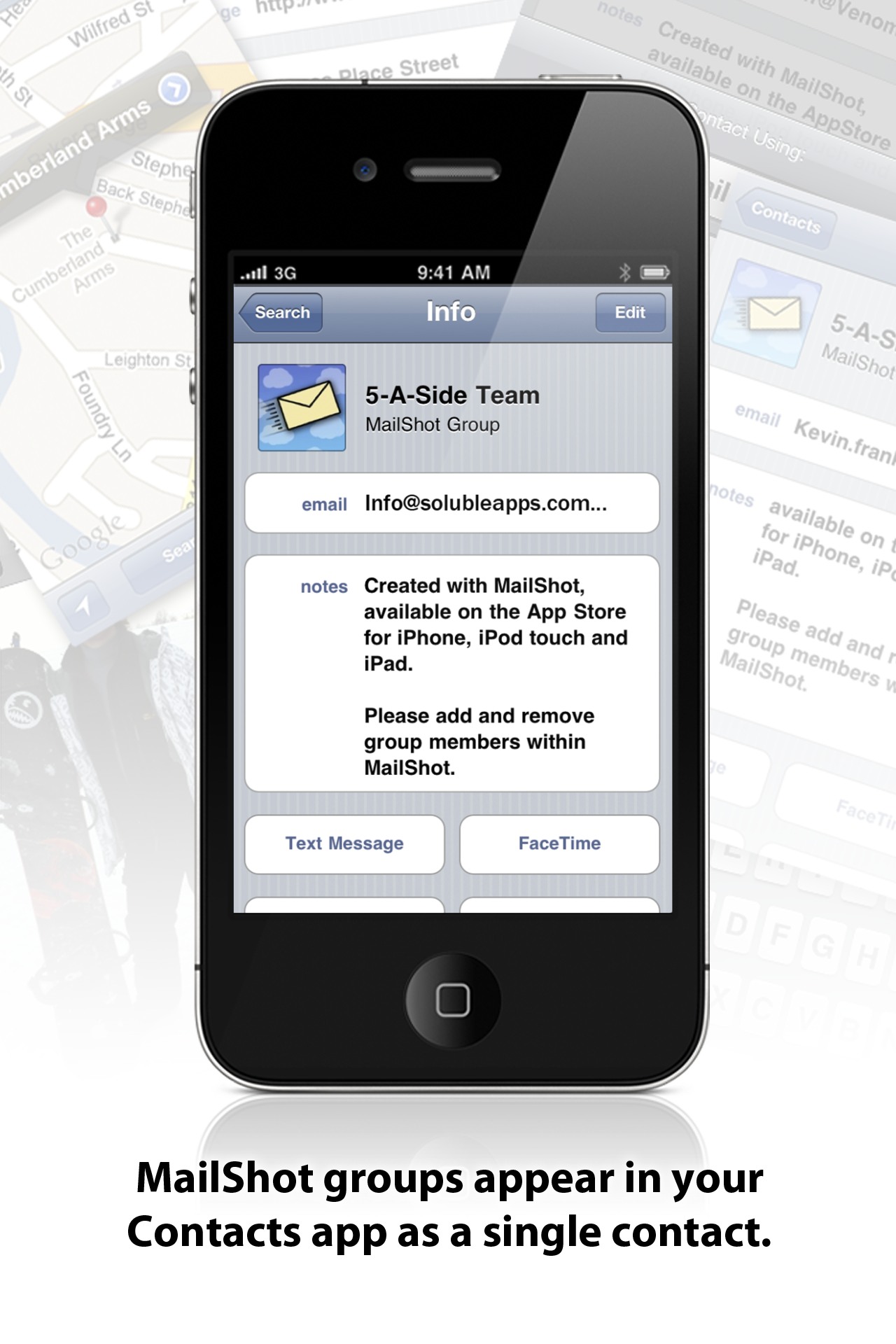
It brings email distribution lists to the iPhone, iPod touch and iPad, so that you can easily email a group of friends or work colleagues without having to select them all individually from your contacts each time.

Even better, and unique, is that you can do this from pretty much any app on your device that has mail support, including You Tube, Google Maps etc.

It should be massive!

The first release is going to be free for the first few weeks, and will allow you to create a few groups of up to five contacts. An easy in-app upgrade boosts this to 50 groups of up to 50 contacts, which should be more than enough for most people. You can find it on the App Store from the link on the MailShot page.

MailShot is in submission

MailShot, our new app which I know that everyone who uses an iPhone for email will find indispensable, was submitted to the App Store today.

I’ll tell you more about it when it has been approved.

UPDATE: 20th Jan
I resubmitted it today, as a “universal” (i.e. iPad-friendly) app with enhanced support for different sync options under iOS4.