MailShot 3.0 Brings A Fresh New Look.

mailshot 3.0 updateWe are delighted to announce the release of MailShot Pro 3 and MailShot 3, which brings a fresh new lick of paint and some exciting features that our users have asked for to the world-beating Group Email app, now used by over 230,000 people.

As usual, this will be a free update for our existing users.

EN_i5_contactsWe now have a new cleaner, flatter look, designed to fit with iOS7 (although you don’t require iOS7 to run it.)

A fantastic new feature is the ability to rapidly add a list of contacts, by pasting a string of addresses and contacts into the app.

You can read more about how to use this feature here in the User Guide, and you can also find a number of helpful hints and tips on how to extract email addresses as strings from received email, spreadsheets etc.  here on our Support Page.

You can now easily duplicate a group. Tap “Edit” on the page where your groups are listed, then use the icons that appear on the right to drag a group onto the red bar at the bottom of the list to duplicate it.

And there are a couple of other changes that it may be useful for our existing users to know about…

Context sensitive buttons. To simplify things for new users, buttons for selecting and deselecting multiple contacts, and entering edit mode, are now only shown when relevant. Note that the automatic “sort” function IS still available,  just tap the the “Edit” button on the contacts page to access it.

Manually-added contacts are no longer highlighted in red. This had obviously been confusing people, as we received a number of support questions about it. Now a contact will only appear in red if it was originally added from your address book, but is no longer found there.

A new search bar on the contact checklist lets you search on first name or email address, and only shows matching contacts. (we will add a search on company name in the next update, after requests)

The size of each group is displayed more simply on the groups page. It now shows just the size of the group, and will only show two numbers (such as “14 of 16”) when some members of a group are deselected.

There were also a number of other improvements:

• More tutorial information links within the app.
• Improved diagnostic information in the support request email.
• New share options to tell your Twitter and Facebook friends about the app.
• Updated to ARC and Modern Objective C standards.

We hope you enjoy the new features. Please let me know of any issues you spot, and we’ll do our best to help. If you wish to get in touch, please use the “Support” button on the title page of  MailShot. Our Support Page and User Guide are also there, as always, to help.

MailShot Pro 1024r

MailShot Pro works with iPhone 5s thru 3GS, iPod touch and iPad mini, and is available now on the App Store.

MailShot Lite 1024r

MailShot works with iPhone 5s thru 3GS, iPod touch and iPads and is available as a free download that creates up to 3 groups with up to 5 contacts per group. An in-app purchase removes all restrictions.

TextShot 1.1 is Now Available.

New update for TextShot group texting app adds ability to add phone numbers with custom labels from your address book.

Photo 417Version 1.1 of our TextShot group texting app has just been released, allowing you to add phone numbers that were marked with custom labels.

Tap the orange phone button on the menu bar to toggle the display of all phone numbers, not just those labelled as “mobile” or “iPhone”.

  • Groups size now shown in brackets, e.g. “(3)”, unless some are deselected, e.g. “(2 of 3)”.
  • Improved data included in support request emails.
  • “Text Preset” now used instead of “template” throughout.

The User Guide has also been updated with an illustrated step-by-step guide to creating your first groups and text presets, through to sending your first message.

As always, if you find TextShot useful, a rating on the App Store would be much appreciated to help spread the word. (You can do this from the Rate button on the title page.)

Our new app- “TextShot- Group Text Done Right”

textshot headerOver the past two years we have received a lot of requests from our many MailShot users asking us for a companion app to handle text and iMessages. So we are delighted to announce the arrival of TextShot on the App Store this week.

TextShot will feel very familiar to users of our popular MailShot app. Adding contacts to a group is handled in the app in all the same ways, with a very familiar interface.

Unlike MailShot, TextShot sends its messages from within the app, so we also took the opportunity to let you create and send your own preset text messages. Select a group, choose your text, then tap the TextShot logo to create a new message. It saves a lot of typing on that cramped mobile keyboard (and you can easily do it one-handed)

100322_N90_BOW_PF_#1Band_no_pings_FL_PHO-10-0110 001We expect the app to appeal mainly to iPhone users for sending SMS, but you can send iMessages to other iOS users from all iOS devices. TextShot doesn’t handle email.

TextShot is available on the App Store in two versions-

TextGroup Icon1024rTextShot Lite is free to try, but restricts you to two groups of up to four contacts, and two different text presets. It is upgradable with an in-app purchase.

TextGroup Pro1024r

TextShot Pro removes all of those restrictions.

A Support page and User Guide are also available, and will be built up over the following days. As always, if you need any assistance please get in touch through the Support button on the front page of the app.

FAQ 1.4 makes email easier.

banner“FAQ Email Composer“, our brilliant app that helps you rapidly create custom emails, hits the App Store with a new update today with a few tweaks, including easy duplicating of entire topics (and a fix for a small issue in the Markdown-compatible version)

You should give FAQ a try, it’s not just us saying that it’s great- there may only be a few reviews so far on the store, but ALL of them are 5-stars. As any new release bumps them off the front page of the App Store, and you can’t see reviews from other territories, here are a selection for you…

Just TOTALLY AWESOME I searched for months and bought other apps before finding this jewel! If you need signature blocks and “boiler plate” email responses… This is the app you are looking for! This app is the best!!!  –UH60Av8or, US ★★★★★

Great App I use this for our non-profit and have different topic areas for things you send out a lot…meeting and event reminders, sales items and event details. Group this with MailShot and its two clicks to send the same message to my entire organization. -KC008, US ★★★★★ 

A VERY useful app Any time you find yourself sending “boiler plate” responses in your business, you will find this app to be a big time saver. In addition, I am impressed by the author’s quick response to customer support issues. (And by the way, those issues were with my learning to use the app -not the app itself.) This app is well worth the price.–Larry Costner, US ★★★★★

Read on for lots more reviews  Continue reading “FAQ 1.4 makes email easier.”

ShotList 4.2 available on the App Store

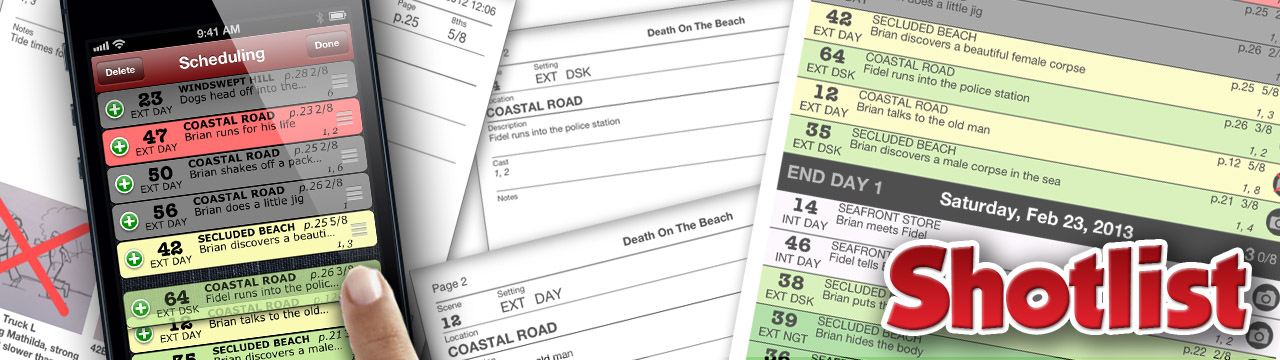
shotlist4.2Today we are releasing version 4.2 of ShotList, our popular app that aims to bring a full production stripboard, and more, to your mobile device, allowing movie and video makers to organise and track their shoots on the go.

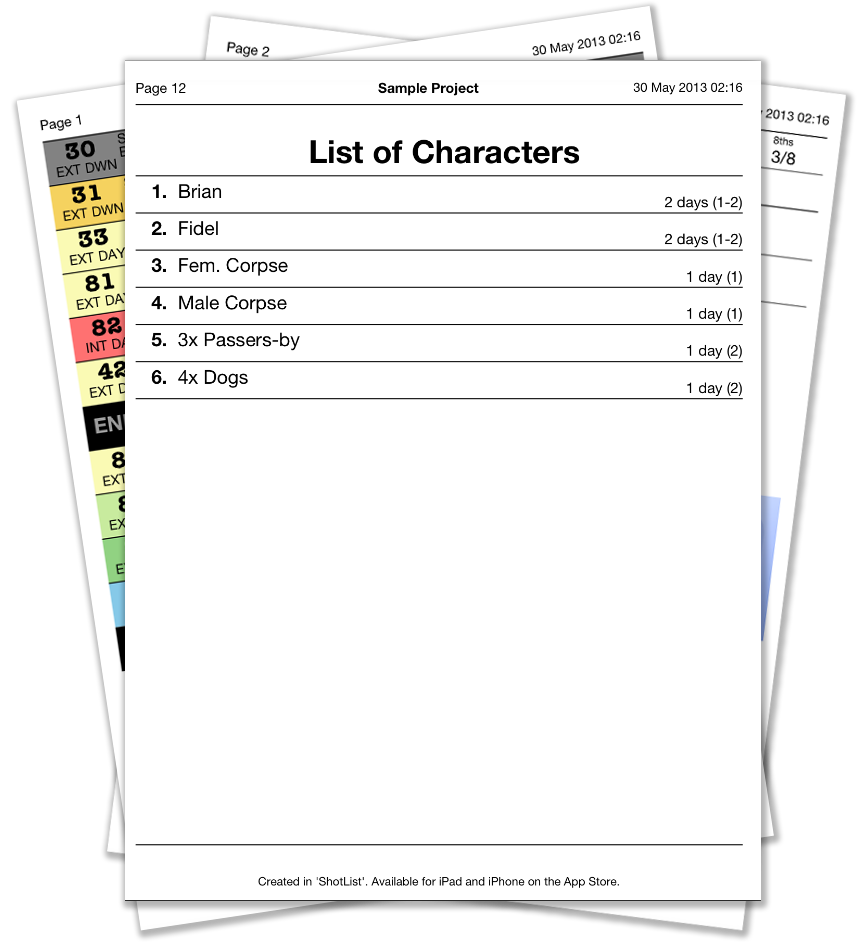
shotlist printsThis update fixes a nasty crash bug on the shots pages, and adds two new report pages to the PDF and print options-  a List Of Characters, and a List of Locations.

The Character list also contains information on how many, and exactly which, days each character is required for filming. This should be helpful when costing your project, or creating a “Day Out Of Days” report.

social

We have also included options to share a link about ShotList through Facebook, Twitter, Email or iMessage, using the “Share” button.

We do appreciate your support in spreading the word about ShotList in this way, or via reviews on the AppStore. It all helps us to continue to develop the app further.

If you need any help with ShotList, please see the User Guide or Support Page

Soluble joins the “Made In Creative UK” campaign

made-in-creative-ukThe UK has a fantastic history of innovation in computing, with many world-changing achievements stretching from many of the very earliest hardware and languages through to today’s projects like Raspberry Pi that aim to recapture something of the excitement and adventure of those early days.

The UK has also played a significant role in the development of games to enjoy on these computers and consoles, far outreaching our small size as a nation, and this is something I am personally very happy to have been a small part of over the past three decades.

We are proud to join the campaign to highlight the UK’s past and current achievements in this field by featuring the “Made in Creative UK” logo here. For more about the campaign, please visit the official website.

MailShot now has over 200000 users!

200000It was great to hear from Apple that there are now over 200,000 users of MailShot Pro and MailShot out there.

Welcome to all those who have joined us recently. We hope you are finding MailShot useful, and I’d like to personally thank the many of you who have taken the time to post your fantastic reviews on the App Store. We really appreciate it, and it helps us support the app.

As always if you have any problems at all you can find guidance, and help for most common issues, on our Support page or User Guide.

If you need assistance, we are always very happy to help. Please drop us a line using the “Support” button on the title page of MailShot, explaining any problem you are experiencing (this will also send us some diagnostic information that may help us assist you faster). We can resolve most issues fairly quickly.

New edition of FAQ released, with Markdown support

MarkdownWe are happy to announce the release of “FAQ Markdown Email Composer“.

icon4

This special version of our FAQ app is optimised to support the increasingly-popular Markdown text markup notation, allowing formatted text,  lists, code samples and embedded weblinks in your emails.

FAQ is a unique app that stores all the bits of text you use most often in your emails- opening phrases, answers to the questions you get asked most often, and closing phrases, along with any images and diagrams you may need. This allows you to create the perfect email in reply to a common question in just a few seconds- ideal for customer support, or handling questions from students or group members.

The new version interprets all Markdown formatting in your text, and includes the ability to easily preview your marked-up text.

FAQ will continue to be available in both versions- FAQ and the Markdown edition, so you can choose the one which suits you best.

Download_on_the_App_Store_Badge_US-UK_135x40_0801

ShotList And FAQ Feature In New Book (Special Offer!)

hhhtopIts great to see our ShotList and FAQ apps featuring in Taz Goldstein’s new book “Hand Held Hollywood’s Filmmaking with the iPad & iPhone”. The book covers all stages of the filmmaking process, from script through to shoot (and after), with more than enough information to decide which apps and equipment are for you, and lots of useful tips and advice.

You can download the book from Amazon or direct from the publishers, who have also been kind enough to send us a 35% discount code to share with you. (Visit peachpit.com/hhh and enter “HHH” at the checkout). It is also available as a printed version.

The book also covers our unique FAQ app (which creates custom emails from reusable pieces) saying of it…

“FAQ was designed to be as productive as the people who use it, and for that reason it remains one of my favorite iOS utilities”

MailShot now has over 150,000 users

Our popular Mailshot app now has over 150000 users. Thanks to everyone who has spread the word. Get in touch with us if you need any help

It was great to hear from Apple today that over 150,000 people are now enjoying the unique benefits of our MailShot apps.

I hope everything is going well for you all, and thanks for all your fantastic comments on the App Store, they really make a difference.

If you have any problems, please see our Support page or User Guide or get in touch using the “Support” button on the title page of the app. We are always very happy to help.

FAQ Email Composer 1.1- New Update (And A New Title)

We have just released an update for “FAQ“, our unique app that creates complete custom emails or text documents from your predefined text, in just a few clicks.

The new update adds iPhone 5 and iOS6 support, and the ability to duplicate entire topics, text and images. We have also retitled the app to “FAQ – Email Composer”- to give a clearer impression of what it does.

FAQ is great for customer support (and sees daily use here, answering user questions about our popular “MailShot” and “Shotlist” apps.) It is also fantastic for anything you may need to repeat often in email: such as instructions on how to reach your premises, boilerplate legal disclaimers, location details for grounds your team visits frequently, requests for donations, etc. It can really reduce the amount you need to use your device’s keyboard.

If you find it useful, as always, please spread the word. A review on the App Store is always much appreciated, especially after an update.

ShotList 4.0: New Version, New Features

Version 4.0 of  Shotlist is now released on the App Store.

This major new update adds a number of great features to Shotlist:

  • Print stripboard and details pages, via Airprint.
  • Shot details and notes for each shot in a scene.
  • Email .pdf updates of stripboard and details pages.
  • Import and export projects in a popular spreadsheet format.
  • Rearrange shot ordering with drag and drop.
  • iOS6 and iPhone 5 support

It also fixes a problem in the previous version when updating a project to Dropbox, and has various other optimisations to speed up data entry and navigation.

The Support page and User Guide are both being updated to reflect the new features.

If you encounter any problems please let us know by tapping the “Support” button in Shotlist, or using our support email address (shotlist at solubleapps.com) and I’ll look at it right away for you.

A lot has gone into this update and I hope you find it useful. If you do, a review on the App Store is always very much appreciated. Thanks.

Read on for more details of all the new features. Continue reading “ShotList 4.0: New Version, New Features”