ShotList 2.0 Now Available- All About The New Features

Version 2.0 has just been released on the App Store, and is the first of what we hope to be a string of updates to ShotList.

Over time we plan to build this app up into an indispensable tool for filmmakers of all abilities. We do this by listening to our users and adding the features that are most often requested via our support email address or App Store or Blog reviews. Almost all of the features added in this update are a direct result of a request from one or more users, and address over half of the items raised in our App Store reviews.

This update adds a number of major features and fixes. We will incorporate them into the User Guide for new users very soon.

NEW: Select and move multiple strips on the Stripboard.

This lets you move groups of strips around on the stripboard much more easily. You can select strips from all over the stripboard, and they are all grouped together when they move, so this is a good way of, say, gathering all the shots for a specific location together, or moving all the shots for a shooting day to a new place in the schedule if the order changes.

Tap “Schedule” on the Stripboard page to enter the mode which allows you to create delete or move a strip, the navbar now turns dark red in this mode. Then…

To select several strips at once tap the middle of a strip, they light up as they are selected. Tap a strip again to deselect it. The navbar shows how many strips you have selected.

Deselect all the strips or tap “Done” if you wish to leave this mode.

To move selected strips  tap “=” on a selected strip. You can now drag it to the position you want to move the strips to. They will form a new group there.

NOTE: Only the top strip is seen to move around (as showing multiple selected strips would obscure the location they were to be dropped in.)

NEW: Duplicate strips, singly and in groups.

A few users asked to be able to duplicate strips instead of just creating new, blank ones. This lets them do that for individual scenes, and also to copy a full run of scenes if they have a sequence repeated by different actors, or in different locations.

To duplicate strips, select the single strip or group that you want to duplicate (as shown above) then tap “+” on a selected strip. This creates duplicates of the selected strips. The duplicated strips remain selected so you can move them to a new location easily. The scene numbers have the letter “D” added, to show that they are duplicates.

NOTE: You can copy Day Markers right along with those scene strips if you want, they behave consistently.

NEW: Storyboard thumbnails on the details screen. (iPad)

You can now view all six of your storyboard frames for a scene as thumbnails right on the iPad Details screen. Tap an image to toggle it as complete when it has been shot.


NEW: Camera icon shows status and quick access to Storyboards

(All)

On all versions a new camera icon added to the Details screen provides quick access to the Storyboard screen for that scene. It works like the camera icons on the Stripboard screen, showing whether all the shots are complete.

NEW: Show cast as names rather than numbers.

By default, character names instead of numbers are now displayed on the Stripboard and Details screens. If you would like to change this, switches in the Settings app provide separate control of which is displayed on each of those screens.

Renaming and reordering the cast is planned for a future update.

NEW: Added options to for location type and time of day settings for each scene.

In addition to INT and EXT, you can now also choose” I/E” (INT/EXT) and “GRN” (for a greenscreen stage). I/E will use the same strip colours as EXT, and GRN uses a bright green for all times of day.

You can now choose “MRN” and “EVE” for times of day for each scene, in addition to DWN,DAY,DSK and NGT. There is also a new option of “D4N” for “Day For Night” shooting.

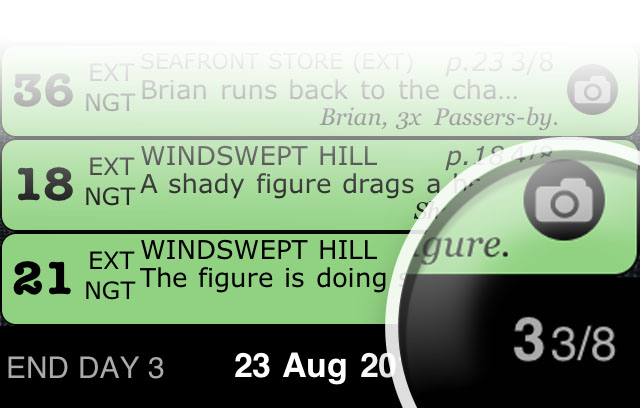
NEW: Page Count shown on day strip as “days and eighths”. 

A minor tweak, but when showing the total number of pages planned for each day’s shoot we now show the number of pages and eighths, (e.g. “3 4/8ths”)  on the day strips, instead of large numbers of eighths (such as “28/8ths)”.
NEW: Pick images, and make selections from popovers (iPad.)

Increases compatibility with iPad. We will be looking at making more use of iPad-specific features in future updates.

FIX: iPad Photo Library crash. 

There was a problem when adding images from the Photo Library, only on iPad. This is now fixed.

FIX: Enter Dropbox with no project selected. 

You can now enter the Dropbox section, even with no projects on your device.

FIX: Load more image formats from Photo Library. 

Some image sizes in certain formats wouldn’t load from the Photo Library correctly, they now will.

FIX: Replace the tide table link in new Sample Projects with a real one. 

Very minor tweak, but the sample project created for new users contains an example of an internet link. This now goes to a real site rather than a dummy, as otherwise users may think the feature doesn’t work.

***

We hope you enjoy the new features. If you would like to see something added or changed, please let us know. We can’t promise we will be able to do it in the next update, but it helps us to prioritise our work, and to get a clear image of how you are all using ShotList, and to tailor it to your needs. The next update is planned for around 4-5 weeks time.

If you are finding ShotList useful (and especially if you see a criticism in an earlier review that has now been addressed) we would love you to review and rate ShotList on the App Store. The more people are using it, the more we can continue to support and expand it into the fantastic tool I am sure we would all like it to become.

Please send requests, or comments to shotlist@solubleapps.com.

ShotList!- Plan Your Movie & Video Shoots Like A Pro

We are very excited to announce that our groundbreaking new app for movie and video production, ShotList, will be released later this month.

ShotList helps filmmakers of all levels to plan and track their shoots scene by scene, by bringing the “Production Stripboard” system used by movie industry pros for many years to iPhone and iPad for the very first time.

Enter as much or as little information as you need from the script for each scene, add photos of storyboards or locations from your photo library, and then move each “strip” around to fine-tune your shooting order. Being so mobile, and always with you, Shotlist enables you to instantly change plans whenever something unexpected crops up on the shoot. It also has a major rôle to play in tracking the completion status of each scene, or shot, on the day.

We plan to update and upgrade ShotList regularly, just as we have with our unique group email app “MailShot“, so we would love to hear your requests and suggestions for which features you’d like to see in the next version. Maybe a “day of days” report? a list of cast required for each day’s shooting? a report on which scenes were completed on a given day? Let us know.

ShotList will be available on the App Store later this month. Check out the app page for more details, and screenshots of what this essential app can do.

Welcome to our first 10,000 MailShot Users.

We have just heard from Apple that over 10,000 people are now using MailShot after its first few months on the App Store. We hope you are all finding the unique way you can send mail to groups from within your applications useful, especially with the new features we just added in our most recent update. You will find that it is an app you can continue to benefit from, month after month.

We always love to hear from you. Please get in touch to tell us how you are using MailShot, to request features you’d like to see, or to ask for advice or help with a problem.

We have just produced a comprehensive User Guide, so take a look if you haven’t seen it yet, you are bound to learn something. You can also still find advice and many answers to the most common user questions on our support page.

It’s great to see how MailShot continues to grow, and we plan to continue to support it with updates in the future (we have updated five times already!). Much of our success so far has come from people spreading the word through social networks and forums and contributing reviews to the App Store.  Many thanks go out to all those that have done this, it’s always appreciated. If you haven’t, please review us if you get the chance, as all the great reviews we have received so far are harder to find when we put out an update.

Thanks again. We hope it won’t be too long before we are welcoming the next 10,000 users.

MailShot returns to the App Store with the best update yet

Over the past four months we have released five updates to MailShot, adding new features for our many thousands of existing users each time. The update released onto the App Store today marks the biggest change yet for most of our users- here is what it adds:

Quick Add For Contacts

When adding a contact with a single email address, MailShot will now automatically add that contact and return to the contact page in MailShot without needing you to select the address (if you would prefer to see a dialogue for confirmation, just disable “Auto-add contact” in the Settings app)

When you add or edit a contact with multiple email addresses, MailShot now pops up a dialogue showing all known email addresses for that contact. By toggling the checkmarks you can easily add, delete or exchange the addresses.

You can also now have MailShot automatically add all known addresses when adding or importing a contact with multiple addresses (enabled as “Auto-Add all” in Settings.)

Import Groups Into MailShot

This new feature lets you import an entire group into MailShot in one go.

If you already have conventional Groups set up in the address book on your device, tap the “Import” button in MailShot, and select the Group. MailShot will scan through the Group, automatically skipping over contacts with no email address, adding any unknown contacts with a single email address and allowing the user to choose which address to use for contacts with multiple email addresses (or to automatically add them all, if enabled in Settings)

You can re-import the group again at a later date to pick up any additions. (A user setting controls whether MailShot ignores contacts with multiple addresses that are already known, rather than prompting for an email choice again.)

If you have not upgraded MailShot yet, the usual limits apply to the maximum number of contacts in a group.

For more information on this feature, see this entry on our support page

Highlight obsolete contacts

To make it easier to keep MailShot in sync with changes in your address book, we now highlight any email addresses that aren’t found in your local address book in red when viewed in MailShot.

To keep MailShot as responsive as possible with larger groups, this status is only refreshed when MailShot starts up, and when you visit the contacts list for a group.

TIP To refresh the status for all the groups on the groups page at once, tap “Home” and then return to the groups page.

Don’t worry if you intentionally removed some or all of the original contacts for a MailShot group as part of your desired workflow. this isn’t a problem – MailShot will continue to work as before, despite the red text. (NOTE: This will also occur if you added a contact from a “Global Address List”, so it is not stored locally on your device)

Use more than 50 contacts in a group

A side effect of being able to import contacts from groups is that more users may now need the ability to manage larger groups than the current in-app upgrade allows, so we have removed the limit in MailShot. Of course you will still be at the mercy of any limits your email provider may impose for a single email (I hear that Google set their limit at 100, for example).

Its Good To Be Back

This release fixes an issue with the update early last week that affected a minority of users using Exchange Wireless Synch.

As soon as we discovered the issue we pulled MailShot from the store, before most users upgraded, and prepared this new version for release. Big props to the Apple approvals team for testing and approving this update for us inside a week. Thanks for that!

Help Us To Help You

We hope you enjoy the new features, but every time that we update we lose all the fantastic comments you have made in the past, so we would ask that you please support us by rating and reviewing the new version on the App Store if you can, and helping to spread the word about MailShot so we can keep the updates coming in the future. Please let us know on our support email address if there is anything you’d like to see in those future versions.

If you haven’t tried MailShot yet, where have you been? It’s currently free to try on the App Store. Head over there and try it now, to see what you’ve been missing.

MailShot 1.40 Released- Now You See It On The App Store, Now You Don’t!

Monday 17th May– Just after update 1.40 went live, we learned of a possible issue affecting some users using Exchange for wireless synch of contacts. As we don’t want our Exchange-using customers to receive an undesirable update, and there is no way to roll back a version, we have temporarily suspended Mailshot sales from the App Store. We apologise for the inconvenience, but it is the right thing to do. We’ll be back very soon.

Tuesday 18th May– A new version was submitted to Apple earlier today. We’ll be back on the Store as soon as it’s approved. If you use Exchange Wireless Synch and are getting crashes, please see this page for our recommended workarounds.

If you need early access to version 1.41 to solve a pressing need or would simply like the opportunity to participate in it’s development, please drop us a line and ask to join our free test program, we have a few spaces available.

Monday 23rd- “We’re ba-ack!???” The new version of MailShot is in its final testing stage at Apple. I hope we’ll have good news in the next few hours. See this post for a full run-down on the exciting features in the new update.

In The Works- Exciting New Features For MailShot

I know a lot of you are enjoying using MailShot for group email within your favourite apps right now, but we still keep striving to make it an even better experience for you.

We thought you might be interested to hear about some of the fantastic additional features we have been working on for the next free update to MailShot (1.40), which is due to hit the App Store in a week or so’s time.

  • Fast selection of contacts with multiple email addresses (using checkmarks)
  • Import existing address book Groups into MailShot* (!)
  • Highlight redundant email addresses that no longer exist in your address book
  • Manage over 50 contacts in a MailShot group (with the upgraded version)

MailShot will remain free to try on the App Store until the update. If you haven’t tried it yet, what are you waiting for?

App Store Reviews, Part 3 (in 3D!*)

Now that version 1.30 of MailShot has been out for a few weeks I thought it was time for another roundup of user reviews around the world’s App Stores.

In general they are fantastic, thanks to you all for your kind words. As usual we also include the few isolated negative ones we have had, with our responses- in most cases we could probably have solved their problems if they had contacted us on our support page.

If you are already a satisfied user please take the time to add your opinion and rating on the App Store. We need and value your support, especially each time a new version is released as this hides the previous good reviews on another page.

USA Store

FatherWarrior *****
Group emailing FINALLY!
It works perfectly on my iphone4. Upgrade to pro version is totally worth the $3.99, if you have large email groups like I do. iOS should have had this feature from the beginning. Apple will probably buy this app’s code and call it their own like they usually do.

PJ- I wish!

Well, they know where to find me…

Nashville JZ *****
Great
As promised. Simple. Easy to manage. Works like a charm.

Ddlj81 *****
Very useful
Does what it says. Just that the free version can only store 5 max on a group.

Bronzit *****
Excellent ‘Gap’ Filler!
Works very well. Easy to use, in The Mac Way. I expect Apple to make it obsolete, soon, though.

CatkissinAustin *****
Just what I needed
I’m not a tekkie and I don’t speak Mac altho I have a Mac and iPhone. This worked easily and quickly for me.

Dakota Roemer****
Well Done!
This sucker keeps me sane. A very well executed and much needed app. Woot!

Yptcn *****
GREAT !!!
The app that was missing . It does everything it says.Thank you :-)))))))))

pinki101 *****
Now Even Better

This is just about the most important app I’ve purchased. Lots of apps let you email to groups from their apps, but this is what you need to forward easily forward email to your groups from the mail app. It’s simple, it’s smart, and it works. I rated it five stars before the last round of improvements, and now with sort ability and both emails and names showing for edit, it’s that much better. Thank you!

EuRisk0 *****
Perfect iPhone add on
Great job

Schreibs1 *****
A must-have for productivity
This app works seamlessly when following the web support page. I now have email group function on my iPad. Previously, I was relying on my PC for emails to over 10 groups. I maintain my zero stars rating to Apple for not building in this function.

PJ- It was great to see a reviewer who only awarded us a single star in an earlier review because “the functionality should have been provided by Apple” come back and change it. Much appreciated, thanks.

Mkirse *****
Thank YOU!!

I’m thrilled to find this app!! This issue has been driving me crazy – can’t believe that apple didn’t include the ability to forward emails to a group themselves. Now my iPad is finally a functional tool for my business on the go. Thank you!!!

IncredulousAlien ** v1.20
Good effort, but . . .

This app has some potential, so I gave it a two rating. And yes, it does have the currently unique ability to use group lists for forwarding email. Unfortunately, there appears to be no method for “on the fly” deletion of addresses from a group (e.g., in the process of adding a group to the bcc: field when forwarding in Mail). This means that, in cases where the incoming “from” address happens to be included in the group selected for forwarding, the email will be sent back to the incoming “from” address. Not useful, and certainly not polite in an age of humongerous attachments and bulging inboxes. This may not be a flaw for some uses, but it is a fatal one for the way I use email. Bottom line: I wish I had my money back.

PJ- Slightly over-the-top criticism, perhaps, and the functionality IS actually provided for this if you are concerned enough about it to want to deselect people from an email. (Use the checkmarks provided in MailShot to temporarily deselect a person from the group, press UPDATE, send your email to the group, reselect the person and press UPDATE again.)

Bob Kroghs ***** v1.20
Great app.

Once I took the time to read instructions carefully it worked perfectly. Took a half hour to learn.

Craig Symons ** v1.20
Not bad but crashes constantly
After entering addresses and it crashing, I finally ended up entering one address and updating each time for a total of 25 updates. Then going back to find out how to send an email I noticed that nearly ALL of my entries were gone. Very frustrating!!

PJ- Always sorry to hear it when a user has an experience like this. From the description it sounds like an issue we have seen occasionally when adding badly-formatted contacts in the address book (often created in MS Outlook). Some code we added in 1.30 seems to have helped with this, but if this user had contacted support or read the support page I am sure we would have been able to help him.

bakerbear ***** v1.20
Free version gave me great idea of how it worked.
I will feel much better about emailing groups now… No one forgotten, no one included without need. App works smooth and has great help page (I had one contact w some nonstandard entries that were easily fixed). Didn’t take more than 1 minute to be fully working!!

Woogetybop ****
MailShot
Simple free app that is really $3.99 if it going to be functional. After paying the $3.99 it let’s you create 50 groups of 50 contacts that can be used with most other app’s. That’s the key here. Most other mail contact apps make you use their emailer, which I find unacceptable. 4 stars for being a simple program, needs more options like CC BCC in contact groups.

PJ- Actually you CAN place MailShot groups in the BCC and CC lines, just as easily as the TO line.

Also, apparent “simplicity” is actually an aim for mobile apps and one of the hardest things to achieve. We often work hard behind the scenes to hide the complexities from the user. I guess I’ll take it as a compliment, not a criticism :).

Penta Huang *****
Good 
I just download, very good embedded to iPad mail app

UK Store

Andrez_99 **
Poor
Incredibly frustrating that you can only add one contact at a time from the address list to a group. This app needs a tick box next to those address names with emails. You then want to add all of those ticked.

PJ- Actually this feature is already coded and will be added in the next update- (1.40)

DWoodthorpe ****
Great help

This app is just what I have been looking for. I can now email all my golfing group in one go. I would give it 5 stars if I could have had more than 5 members per group. 10 would have been more realistic for the free version.

This facility should have been part of the mail program from the start. Well done.

PJ- I do make my living from writing software, and it takes some considerable time for us to support users and add features to MailShot even now, months after the release. I needed to set the user limit to one which will let people try it out for free and see its advantages, but will also give them a reason to pay a small upgrade fee if they like it and want more. Around 20% of our users upgrade, so I think that means we have the balance about right, as it is a lot higher than figures I have heard for other apps.

Unfortunately I think people can interpret the “free” download icon as meaning completely free, rather than “free to try”. It would be nice if Apple could change that. 

Tim, Scotland *****
Brilliant App
This is a brilliant app and just what the iPad was waiting for. It enables you to create Groups in your Contacts list and access these from within the iPad’s email app. The Groups appear in your Contacts list as a single entry (say ‘Family’), but contain multiple email addresses. So, when you’re in the iPad’s email app, just select ‘Family’ from your Contacts list (remember, it looks just like a single email address in the contacts list) and your email will be sent to multiple recipients. Best of all, when you look at your sent mail, you’ll see all the recipients listed separately. You can edit existing MailShot groups from the app – say adding or deleting members individually.
The basic app is free to let you evaluate it for a few small groups, but an in-app upgrade (very reasonable) releases the full potential (up to 50 groups with up to 50 members per group). An absolute must-have.

David Hillyer *****
Wonderful x 2!

It’s great to see a new version created so quickly in response to user feedback. I stand by my earlier posting on v.1.13 even more:
I love my IPhone, and find I’m doing more and more emailing from it. To not
have a group email-send was a problem. So finding MailShot was great . But
in the v1.13, I had problems upgrading for 5+ names. I contacted Peter,
who then appeared to work night and day to fix the problem – I felt as
though I was at the cutting edge of app development! We got it sorted, and I
am very pleased.
I’ve seen a few negative comments from users – all I can say is that I guess
in the early stages apps may need a bit of tweaking; so my advice would be
to make contact with the designer, rather than moan about things online. And
as for criticising the cost: an app costs peanuts, and they can be very
powerful tools. MailShot certainly is one of my best buys!

Canadian Store

Sd37lafont *****
Mailshots

Amazing the way they organize the address book of contact from all sources.

garyludwig ***** v1.20
Exactly what it should be

I’ve been looking for an app that would let me make email groups on my iPhone I could use in all my other apps. This one is exactly right — just what I wish Apple had built in. Simple, intuitive, and versatile. The graphics make it look cartoonish but don’t be fooled.

PJ- Cartoonish? I was aiming for non-threatening :).

I am also a fan of Rene Magritte, and subconsciously had some of his recurring themes in mind. He had more than 72*72 pixels to work with, though.

Rest Of World

Florian Prelle ***** Germany
Super 

Fantastic app to create mailing lists

David BOULANGER **** France
Great

Great ! but expensive ….

JRK1 **** Australia
MailShot

Brilliant app and great support service, much appreciated.

* And if you are wondering why “in 3D?” its simply because this is a sequel to a previous post, and in eighties cinema the third part of a franchise was often in 3D, unlike now when it seems to be on nearly every new release, whether it needs it or not.

Mailshot 1.30 Update Released On The App Store

A new update for Mailshot hit the App Store this morning. Version 1.30 brings a number of improvements to the contacts screen, based on user experiences and your feedback:

  • We now show email addresses alongside the names for each contact, this will help distinguish them if a contact has multiple email addresses in a group.
  • Previously MailShot was unable to add a contact without an actual name being defined for them in the addressbook. We now use the contact’s email address as their name if there isn’t one set up.
  • We added a “sort” button to quickly alpha-sort contacts in a group (note that any contacts with an email address for a name will come last, as lower case letters are higher in the alphanumeric series than capitals).
  • Improvements to memory management and stability.

I have added some code which may prevent the occasional crashes experienced when adding “malformed” contacts to a group (we cover this issue in detail on the support page.) If it still occurs to you on the new version, please email to let us know. We would like to hope its gone, but confirmation either way will be useful. I’ll edit this post if we no longer need it.

And the next time?

We would love to hear your suggestions for the next update, I think among other things I will be looking at how we handle contacts with multiple email addresses next time, but I will be listening for your suggestions.

Is anyone using the “use semicolon as separator” feature we added with 1.20, or should we remove it?- it has been the source of a number of support calls from people with it enabled in Settings (they found only one person in their MailShot group was receiving their emails) Please let us know if you need it to stay, or its days are numbered.

A final request

As always, one of the problems with updating frequently is that we lose the good reviews people have been kind enough to leave, so if you get the chance we would really appreciate it if you would stop by the App Store and refresh your old review, or add a new one if you haven’t done so before. Thanks.

“Ultimate Charades” Released On The App Store Today

Our Suggestion Box app is getting great responses from those who have tried it, and it is finding all sorts of unforeseen uses (such as language teaching in Russia) due to its comprehensive customisation abilities. But it was always destined to be a fairly “niche” product, as it is aimed mainly at improvisers and drama students.

Ultimate Charades takes the customisation abilities of Suggestion Box, and applies them to one of the world’s all-time most popular party games – Charades. That customisation means you can remove any suggestions that aren’t relevant to you and your friends, and can add in the things you DO care about, such as the hit show or favourite celebrities of the moment, or even your friends and family themselves, making it a much more personal experience.

We have also put instructions for all sorts of game variations on the Ultimate Charades page, and answers to the most likely user questions on the support page.

Check it out on the App Store now.

Welcome To Our First 5000 MailShot Users.

Apple tells us that we now have over 5000 users of Mailshot out there from our first few weeks on the App Store. We do hope you are all finding the unique way you can now send mail to multiple people easily from within your applications useful. You should find that it is something you are able to benefit from whenever you need it, month after month.

We love to hear from you. Whether its to ask for help, to suggest features we could add, to pass on a tip for other users, or just to tell us how MailShot is working out for you- Please do get in touch.

Much of our success so far has come from people spreading the word through social networks and forums and contributing reviews to the App Store. My heartfelt thanks go out to all those that have done this already, its much appreciated,  and please let it continue so that we are soon welcoming the next 5000 to the fold.

Peter

Some Unusual Ways To Use MailShot

The unique way MailShot creates groups in your iPhone address book that act like single contacts brings a number of benefits. Don’t feel you can only use MailShot for large groups, there are a number of other uses out there you may not have considered…

  • Like me, you may have more than one way of communicating with the world in addition to email. I have this blog to feed, and both personal and commercial accounts for Twitter and Facebook. Most of these services offer an email address to allow you to post by email, so why not collect them in a MailShot group or two? Then you can post to all your work-related accounts, all your personal accounts, or both at once just by choosing the appropriate contact.
  • Some friends or colleagues can be difficult to get hold of, using different email addresses at work and at home.You can create groups for them that email all of their addresses at once to ensure that when its important, they get the message.
  • If someone doesn’t usually carry an email-capable phone you can still include them in a MailGroup.Most US carriers provide an equivalent email address that gets converted into an SMS text message for their users, and you can add those addresses into your groups too (first add them as an email address for your contact, then they are available to add in MailShot). You can find a list of email addresses for a number of carriers on Wikipedia here .
  • This one was inspired by a question on the Apple user support forums where a mother wanted to ensure that her daughter copied her in on all emails to her teacher. Use MailShot to create a contact containing both mother and teacher’s addresses, and delete the original teacher’s contact from the address book. Now whenever the teacher is selected as the addressee for an email, mum gets one too. (though obviously this won’t help if the daughter is replying to an email from the teacher)

These are just a few suggestions for you, we’d love to hear of any interesting or unique ideas for how you use MailShot- please drop us a line on suggestions@solubleapps.com

Suggestion Box update now on the App Store.

I know it’s been all “MailShot, MailShot, MailShot” around here for the past few weeks, but an updated version of our previous product, “Suggestion Box” has just gone live on the App Store.

It is an idea generator, intended for use as a rehearsal aid for improvisers and drama students. Uniquely it allows you to combine suggestions onscreen, and to customise the suggestion lists for your needs.

The update adds 20% more suggestion-y goodness, particularly in the “Objects” and “Emotions” categories.